For designers and studios
Invoicing for designers who bill by the project
Design work has a billing rhythm that hourly tools don't understand: you scope the project, the client signs off, you take a deposit before the first artboard, and you invoice the balance on delivery. Most invoicing software is built for timesheets or retainers and makes that flow a workaround.
InvoiceOffline is a Mac app built around exactly that rhythm. Here's the whole lifecycle of one project in it, start to finish.
The worked example: a $4,800 brand identity
Say you've scoped a brand identity for a coffee roaster: logo suite, palette and type, brand guidelines, $4,800 flat.
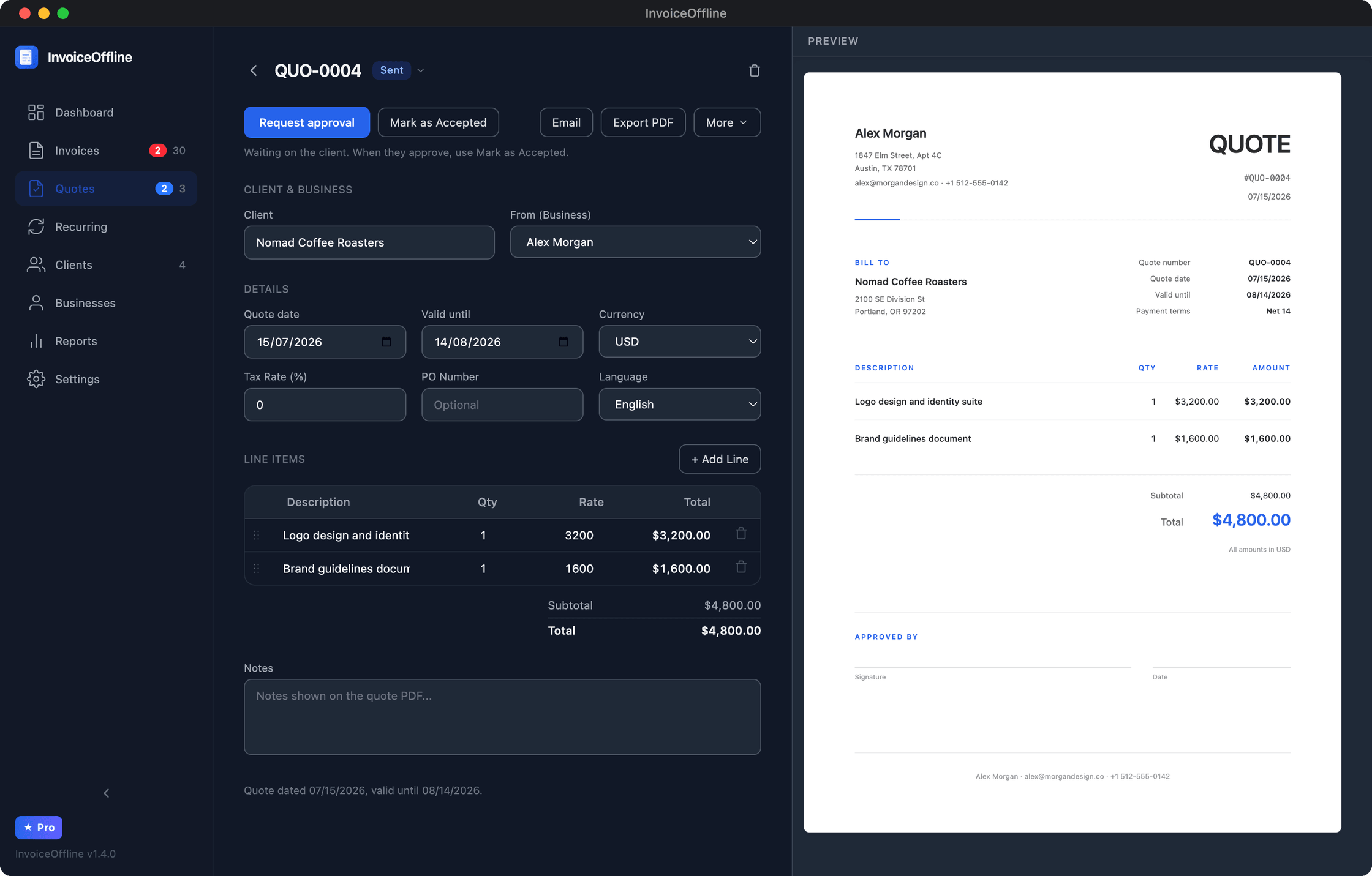
1. Send a quote the client can actually sign. Create the quote like an invoice: line items ("Logo design and identity suite", "Brand guidelines document"), your terms, your branding, live PDF preview as you type. The quote PDF includes a printable sign-off section (signature and date), and one click opens an approval-request email in your Mac's Mail app with the PDF attached. No client portal, no "create an account to view this quote" friction for your client, nothing between them and a yes.
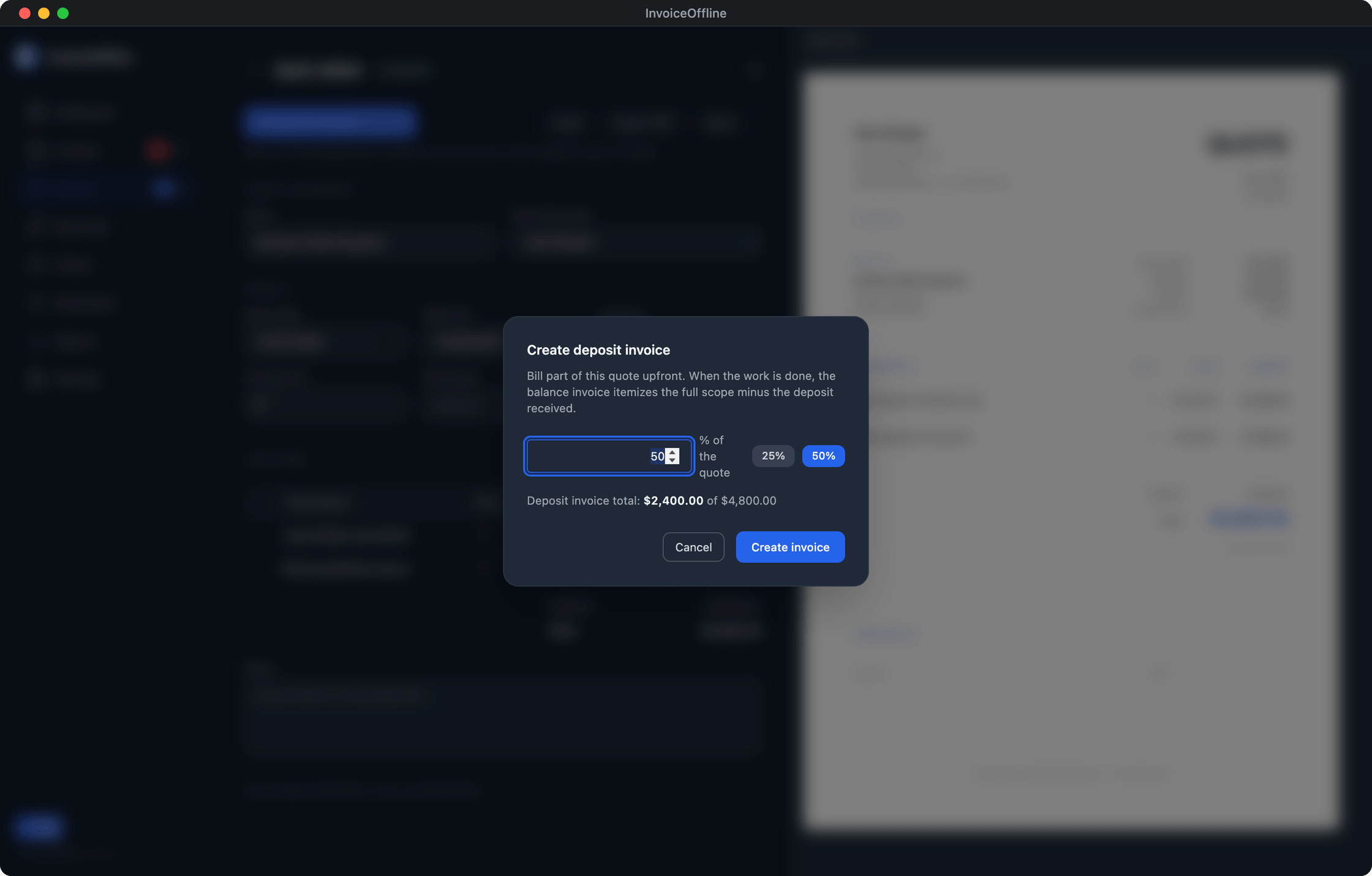
2. Take a 50% deposit before you open Illustrator. When the quote is accepted, create a deposit invoice from it directly: pick the percentage (50% here, but any split works), and the app generates a $2,400 invoice linked to the quote, numbered in your normal sequence. Your payment details print on the invoice, the client pays, you mark it paid.
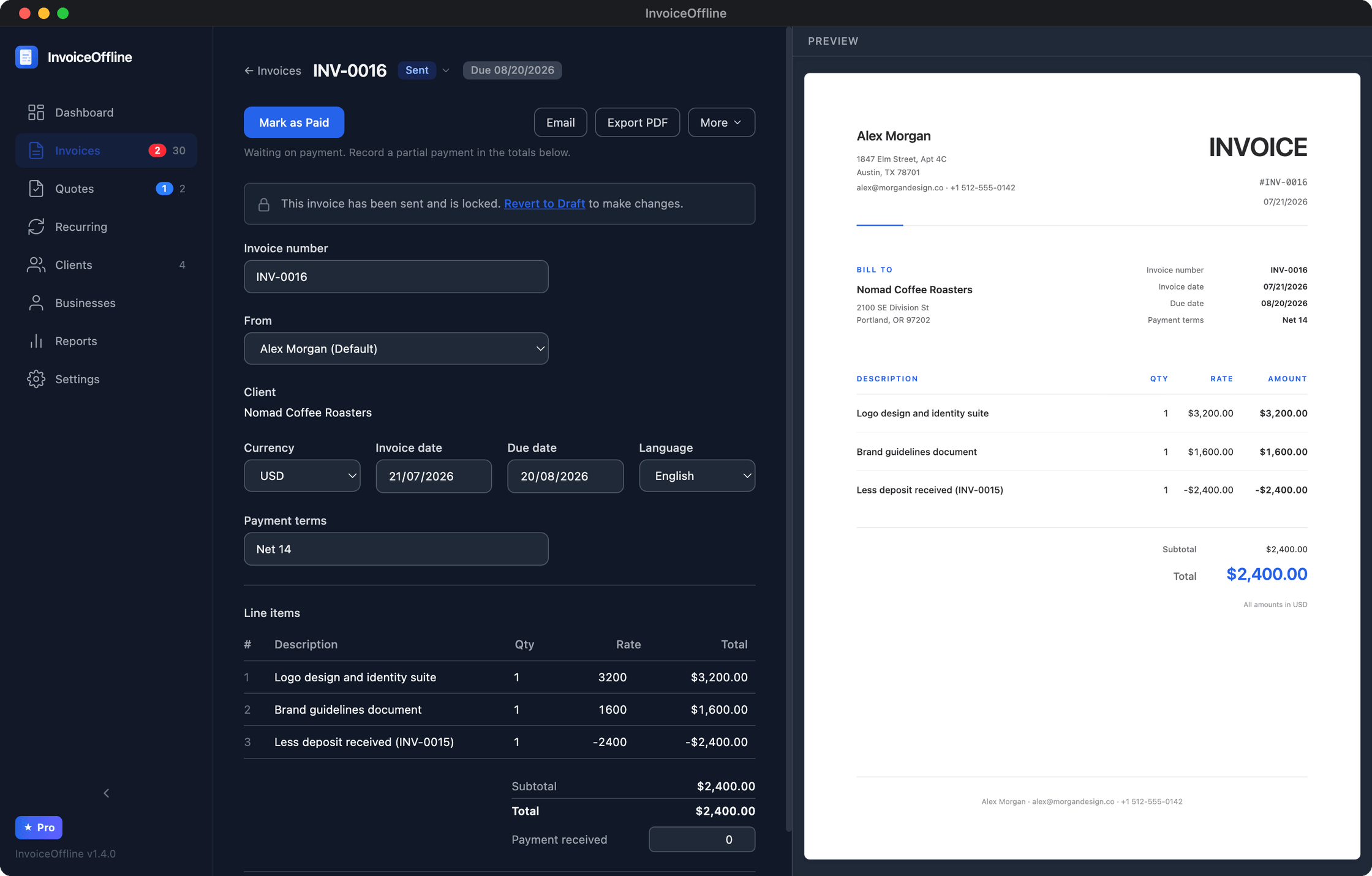
3. Invoice the balance on delivery. Final files delivered, create the balance invoice from the same quote: the remaining $2,400, with the paid deposit reflected, so the client sees exactly what's owed and why. If a client pays partially, record it, and the PDF shows amount paid and balance due.
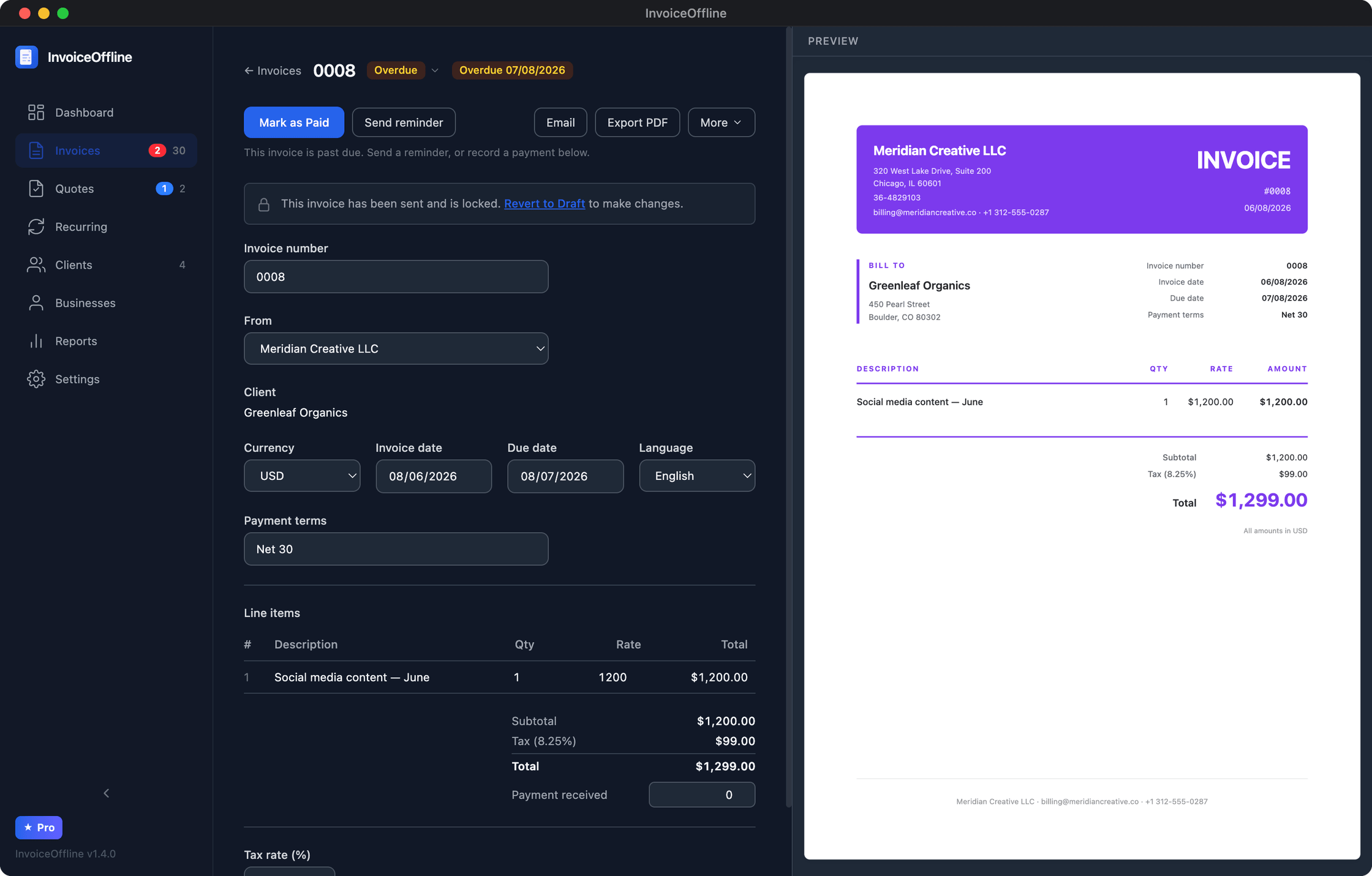
4. Chase politely, without writing the email. If the balance goes past due, the invoice shows up flagged, and one click opens a reminder email asking for the remaining amount, current PDF attached, from your own email address. You press send; nothing ever auto-sends on your behalf.
Step-by-step version of the money mechanics: how to invoice a deposit and the balance.
Your invoices should look like your work
You're a designer; a generic invoice undermines the deliverable it's attached to. Every document carries your logo and brand: pick a template (Classic, Compact, or Bold), set your accent color, size your logo, per business. If you invoice under a studio name and a personal name, each business keeps its own branding and its own invoice numbering.
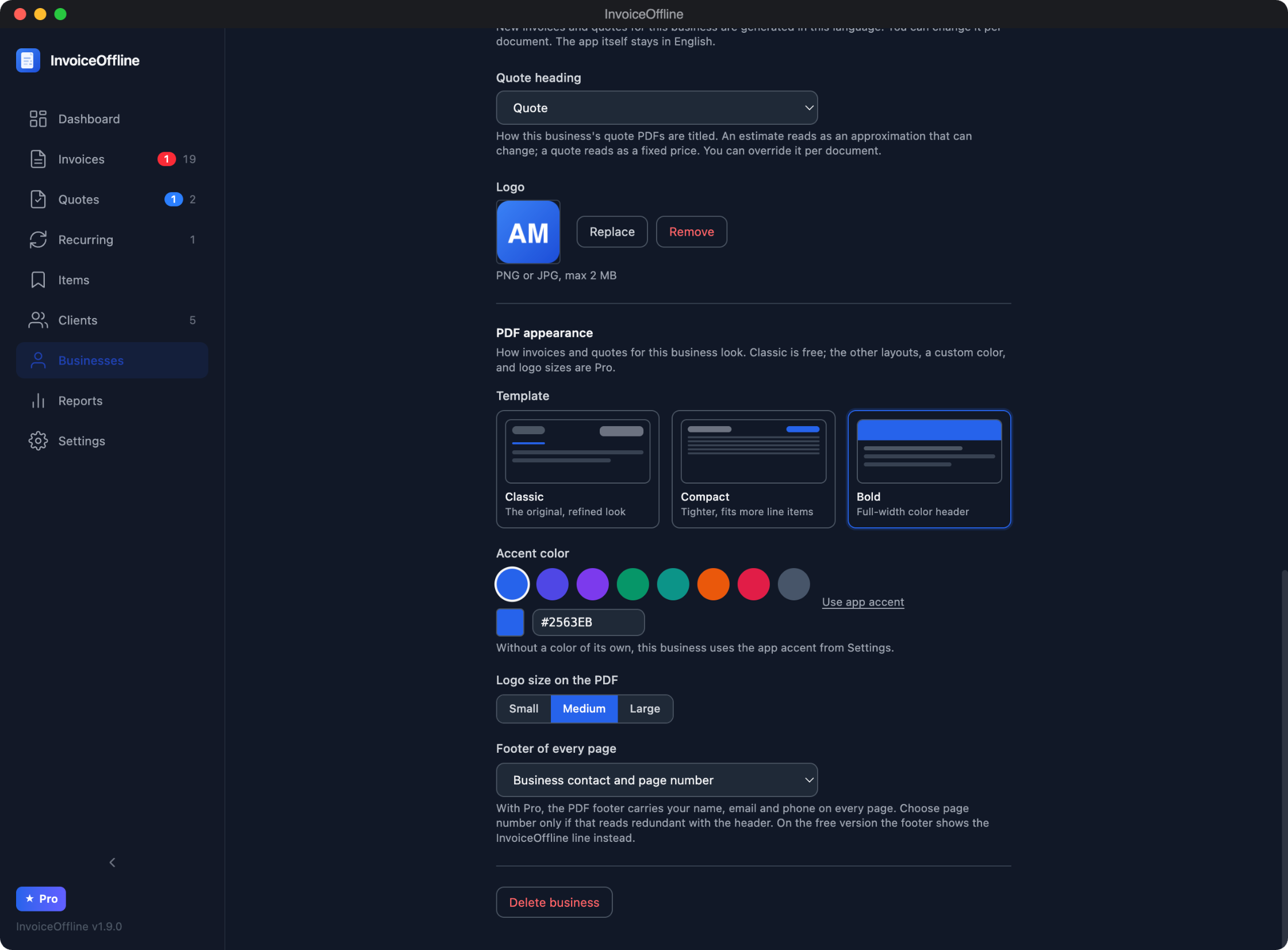
And for international clients: the PDF itself can be in your client's language (English, German, Spanish, French, Italian, Portuguese, or Dutch) with any of 48 currencies, formatted correctly.
Why designers specifically end up here
- The first 30 seconds are the pitch. Open the app, make an invoice, watch the PDF render as you type. No onboarding wizard, no chart of accounts, no "connect your bank."
- It's not an accounting suite. No expense OCR, no reconciliation, no feature maze you're paying for and never open. It sends beautiful invoices and tracks what's paid. That's the job.
- Project files stay on your machine; why shouldn't your billing? InvoiceOffline runs fully offline. Your client list and revenue history live in a local file on your Mac with one-click backup, not in an account on someone's server. Why it's built that way.
- You buy it like a font, not like a service. Free for up to 5 new invoices a month, every feature included. The Pro license is $59 once (founder price, $79 regular): unlimited invoices, recurring billing for retainer clients, multiple businesses. Perpetual for version 1, all 1.x updates included, no activation limit on your Macs.
Start with your next project
Download it free, no account, and run your next quote-deposit-balance cycle in it. If it fits the way you work, the license is $59 once, with a 14-day refund policy.
Free includes 5 new invoices a month, every feature, no account.