Guide
How to invoice a deposit (and then the balance) without confusing anyone
Taking a deposit is the single best cash-flow habit in freelancing: it filters out non-serious clients, funds the first weeks of work, and shares the risk. It's also where invoicing gets confusing, because now two invoices describe one project and they have to agree with each other.
This guide covers the mechanics that make deposit billing clean in any tool, then shows the two-click version in InvoiceOffline. (Practical guidance, not legal or tax advice; how deposits are treated for tax purposes varies by where you operate.)
First: agree on the deposit before any invoice exists
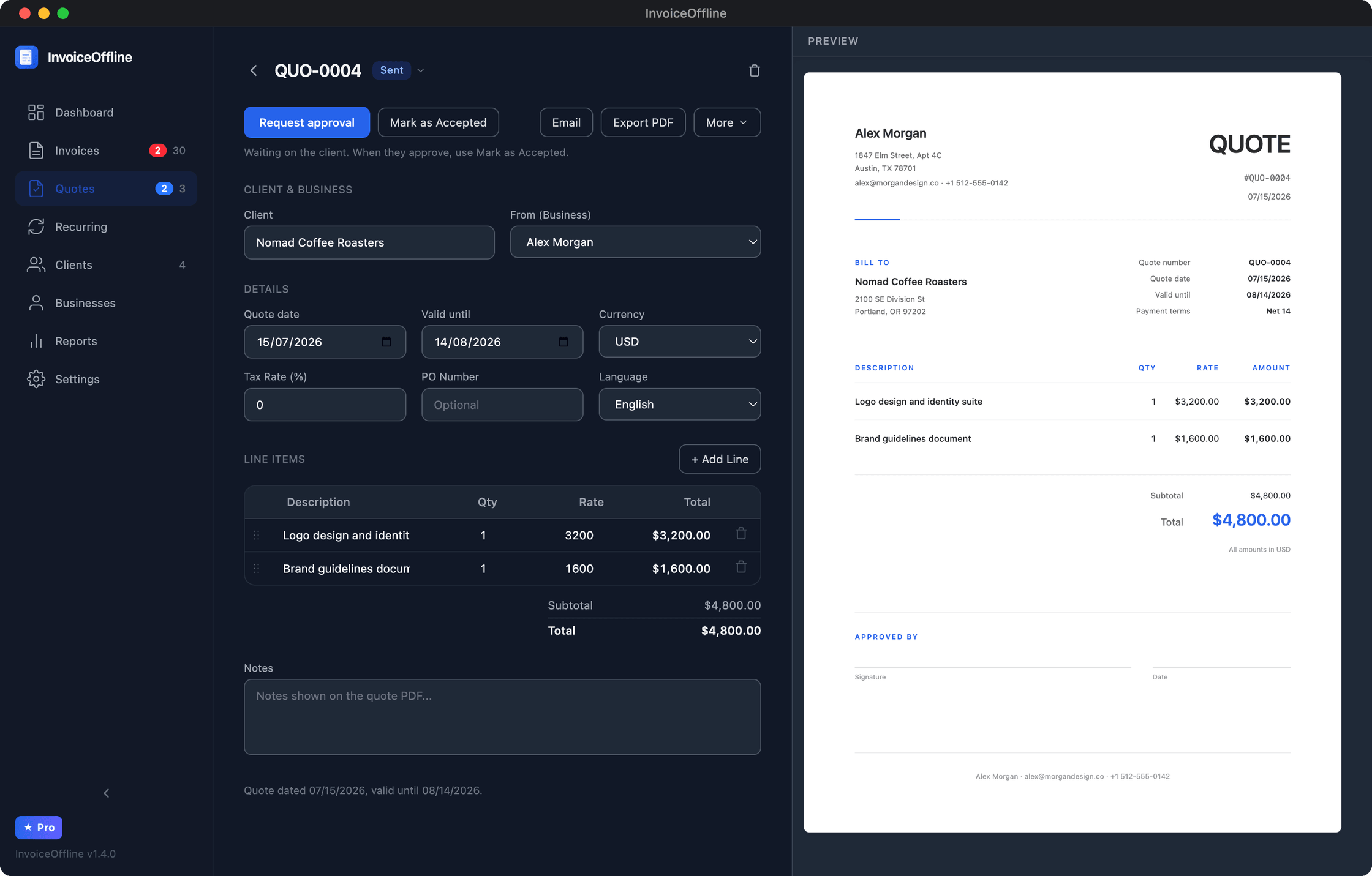
A deposit invoice should never be the first time your client hears about a deposit. Put it in the quote: the project total, the split ("50% to begin, 50% on delivery"), and what starting means. Get the quote accepted in writing, or better, signed. Everything downstream just references that agreement.
What a deposit invoice must contain
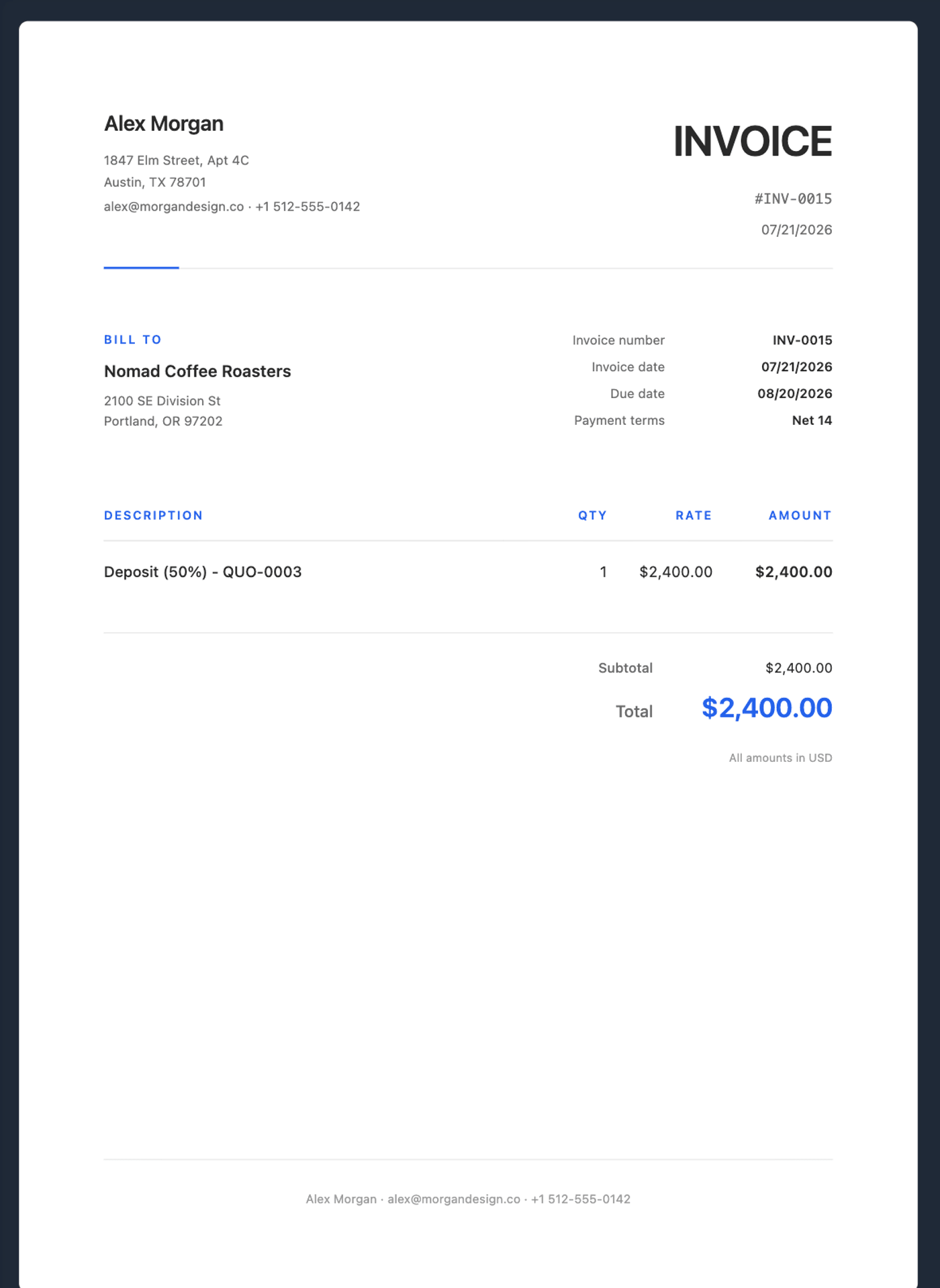
A deposit invoice is a real invoice, not a note. It needs:
- Its own invoice number, in your normal sequence. Don't invent a side numbering scheme ("2026-07-D"); gaps and duplicates are how books stop reconciling.
- A line that says what it is and what it's part of. "Deposit (50%) for brand identity project, per quote Q-0012, total $4,800." The client's bookkeeper should understand it without emailing anyone.
- The deposit amount as the invoice total. The invoice is for $2,400, not "$4,800 (pay half)". An invoice's total is the amount to pay; anything else generates support email.
- Your payment details and a due date. Deposits are usually due immediately or within days, since work starts on receipt.
What the balance invoice must contain
When you deliver, the balance invoice closes the loop:
- Its own number, again in sequence.
- The full picture, restated. Project total, deposit already paid (with the deposit invoice's number and date), balance now due. The three numbers must visibly add up.
- Only the balance as the total due.
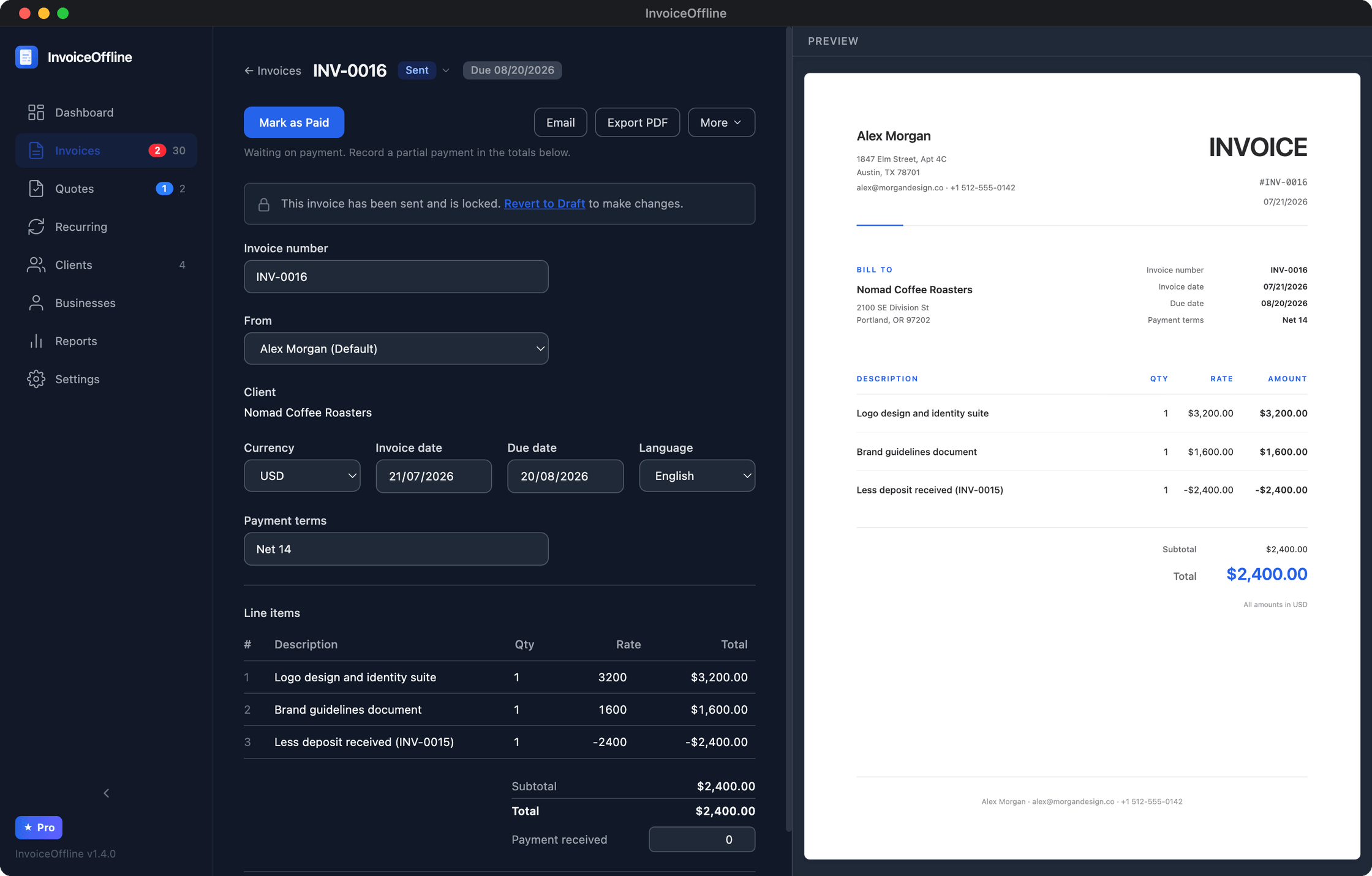
The classic mistakes, all avoidable: the balance invoice that silently repeats the full amount (client double-pays or, worse, disputes), the deposit that never becomes an invoice at all (money arrives with no paper trail), and mismatched line descriptions that make the two documents look like different projects.
Uneven splits and partial payments
Nothing sacred about 50/50. Common patterns: 30/40/30 for long projects (deposit, midpoint, delivery), 100% upfront for small fixed-scope work, deposit-then-monthly for retainers that follow a build. The rules stay the same: each request is a numbered invoice, each references the agreement, totals always reconcile.
And when a client pays part of an invoice (it happens), record it against that invoice so the document shows amount paid and balance due, rather than issuing a confusing correction invoice.
The two-click version
In InvoiceOffline (a Mac invoicing app that runs offline, free for up to 5 new invoices a month) the flow above is built in rather than assembled by hand:
- Send the quote; the PDF includes a printable sign-off section, and the approval request goes out by email with one click.
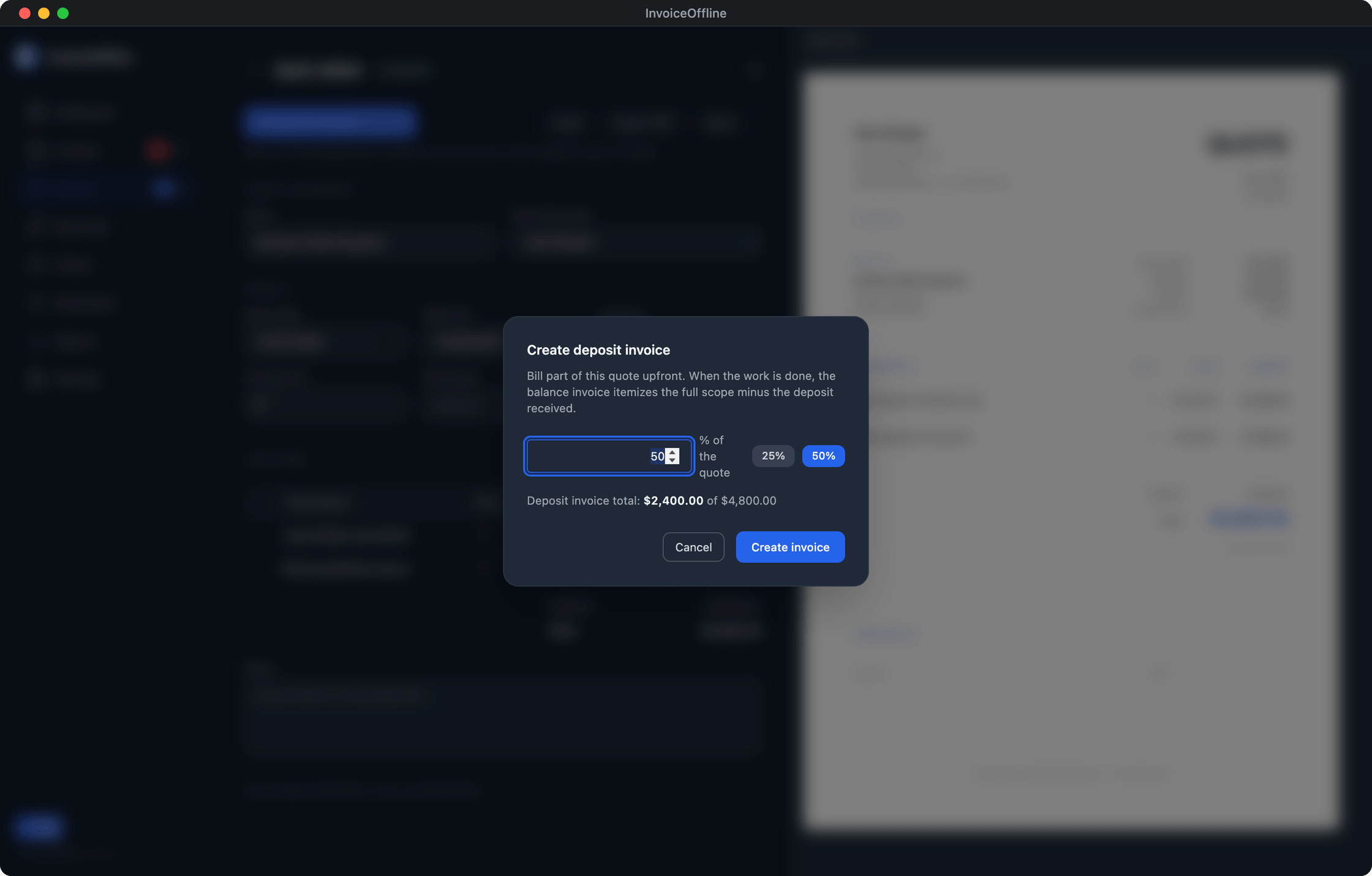
- When it's accepted, choose "create deposit invoice", pick the percentage, and the app generates the correctly-numbered, correctly-worded deposit invoice linked to the quote.
- On delivery, create the balance invoice from the same quote: deposit shown as paid, balance due computed, numbering handled.
- If the balance goes overdue, one click opens a reminder email with the PDF attached, asking for the remaining amount.
The point isn't that this is hard to do manually. It's that you'll do it twenty times a year, and the version where the software keeps the numbers agreeing is the version where a client never emails "wait, what am I actually paying?" The full project workflow, with screenshots: invoicing for project-based designers.
Run your next deposit through it
Free to download and use, no account. Quote, sign-off, deposit invoice, balance invoice, reminder: the whole cycle is built in.
Free includes 5 new invoices a month, every feature, no account.